User-friendly video conversion software for personal computers

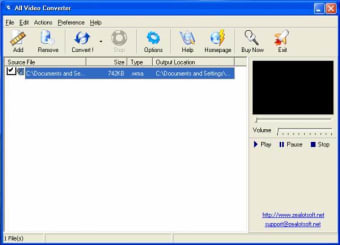
All Video Converter is a streamlined multimedia software bundle that allows users to modify the format of an existing video so that it can be viewed in multiple players. This can be a useful tool in the event that specific files are otherwise unable to be read. A user-friendly interface will help to quicken the entire conversion process.

Main Functions and Uses

All Video Converter is essentially an all-in-one template that supplies multiple file modification capabilities with the click of a button. A handful of video codecs that are currently supported include MPEG, WMV, AVI, MOV, and ASF. Additionally, it is possible to modify the type of codec associated with the file (such as PAL or NTSC). This is a useful function in the event that the video is blocked due to regional settings. The system will display the elapsed time as well as how long remains until a file is converted.

Other Features

All Video Converter is a very intuitive package and thanks this feature, no previous technical experience is required. Drop-down tabs provide other unique options such as batch conversions and the ability to export files to specified folders. A small file size ensures that the performance of an operating system will not normally be compromised. In case you are looking for a free alternative, we recommend you to download Video to Video Converter.


  • Pros

    • This software is able to support and convert multiple types of files.
    • It is easy to use and require no previous experience.
  • Cons

    • The last update occurred as far back as 2011.
    • Modern operating systems will not be supported by this bundle.
 0/1

App specs

  • License

    Trial version

  • Version

    4.0

  • Latest update

  • Platform

    Windows

  • OS

    Windows XP

  • Language

    English

  • Downloads

    286.7K

    Last month's downloads

    • 122
  • Size

    2.24 MB

  • Developer

Program available in other languages


Icon of program: All Video Converter

All Video Converter for PC

  • Trial version
  • 3.4
    246
  • 286.7K
  • V4.0

User reviews about All Video Converter

3.4

5 reviews

Add review

Main reviews for you

  • Anonymous user

    No wonder that All Video Converter gets high reviews and high recommendations from video software experts because it is very functional and well made. I've been using this software since I was in the first-year college and now, I am a video editor for a popular entertainment company and I still use this.

  • Anonymous user

    This video converter never fails to amaze me even more! It is just simply one of the best software developed in the world. It's so easy to use and quick to convert. I think it's converting is better than most of the video converters even better than the popular ones like VidMate.

  • Anonymous user

    This all-in-one template is a very useful tool especially for aspirant filmmakers like me. So that in the event that a certain video format doesn't play properly with other video players I can just easily and quickly convert my video to any video format that will properly play my video.

  • Anonymous user

    When it comes to functional and easy to use video converters, I highly recommend everyone to download All Video Converter. This software has a very user-friendly interface that it only requires users to click drop down tabs to see other unique options, unlike other video converter software that needs huge time to fully know its options.


  • Anonymous user

    This definitely the best video converter for me. All Video Converter's features are exquisitely made. I love that I can easily modify the format of a certain video so that it can be viewed on multiple players faultlessly. I also love how this software is made by its developers thinking about how their users could easily convert a video.

More

You may also like

Alternatives to All Video Converter

Explore Apps

Latest articles

Laws concerning the use of this software vary from country to country. We do not encourage or condone the use of this program if it is in violation of these laws.
Softonic

Is All Video Converter safe?

99/100

Score result: Clean

This file passed a comprehensive security scan using VirusTotal technology. It is safe to download.

  • Virus free
  • Spyware free
  • Malware free
  • Verified by Security Partners

    VirusTotal logo

Scan Info

Last scan
Wednesday, November 8, 2023
Scan provider
VirusTotal · Full report

File Integrity

File
allconverter.exe
SHA256
d65df6572c4eac0906a0cacc1507cb186085f6833b9499dc68128a08814bc3a5
SHA1
08045b5b1c322db43c66a21bc3d42cb6e8dcfe5b

Softonic security commitment

All Video Converter has been thoroughly scanned by our advanced security systems and verified by industry-leading partners. This file comes from the official developer and has passed all our security checks, showing no signs of viruses, malware, or spyware. For more information, visit our Security and Trust Center